

Requirements
Install tmux and sign in to at least one supported agent CLI. Popups need tmux 3.2 or newer. Branch and worktree features need git 2.31 or newer; GitHub PR features also need an authenticated GitHub CLI (
gh).ccmux is a session manager for AI coding agents in tmux. It finds supported agents in your existing panes and shows which are working, waiting for input, or finished. Select a session to jump to its pane.
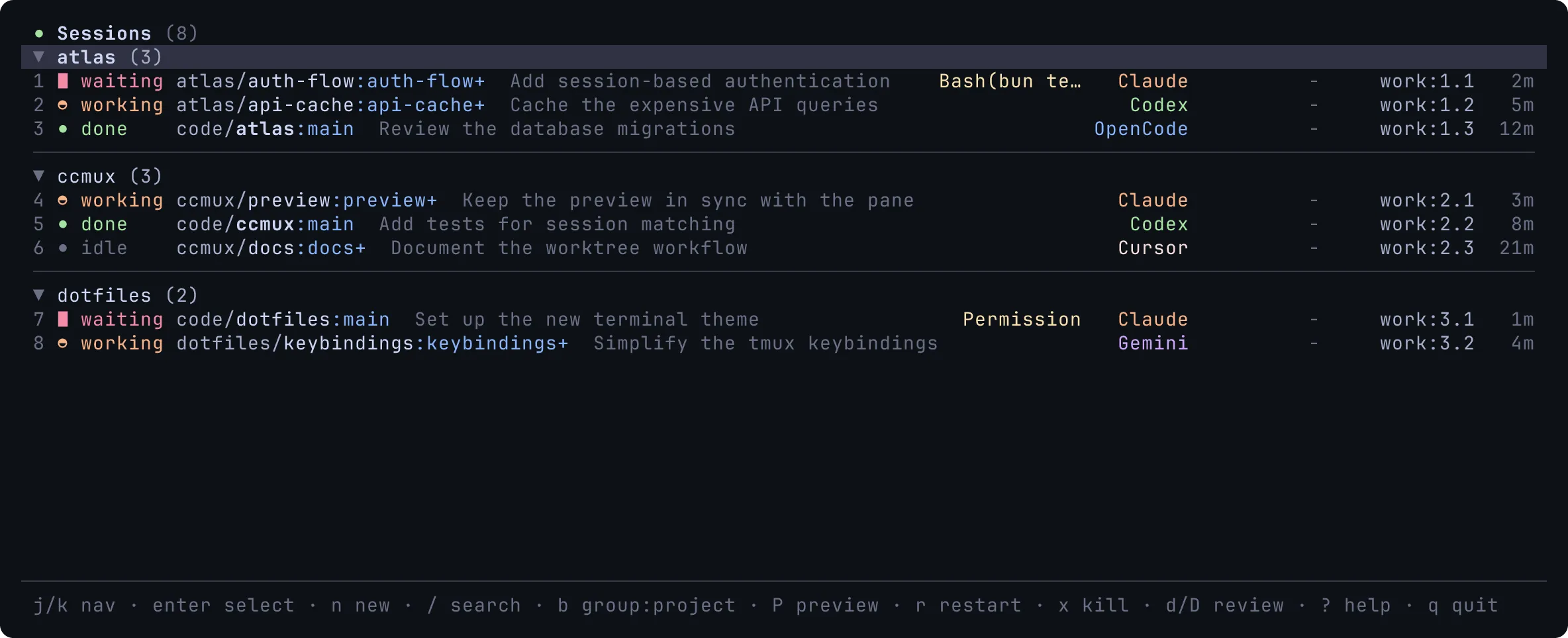
Install with Homebrew on macOS or Linux. The setup command adds hooks for supported agents it finds, which improves session matching. Basic detection also works without hooks.
brew install epilande/tap/ccmuxccmux setupLaunch an agent in tmux as usual, then run ccmux in another pane. Use the arrow keys to select a session and Enter to jump to it. The getting started guide covers prerequisites, source installation, and a popup keybinding.
Requirements
gh).Set up with your coding agent
These docs are also published as Markdown for AI agents. llms.txt links each page, so an agent starts with installation and reads only the pages it needs. llms-small.txt has the whole user guide in one file. Paste this into your agent:
Help me set up ccmux. Read https://ccmux.dev/docs/llms.txt, follow its Getting started link, and fetch other pages it lists only when you need them. Then walk me through installing ccmux and opening my first session.